tangle CLI
tangle creates sandboxes, runs commands and coding agents in them, and moves files, snapshots and previews from your terminal.
Every command prints JSON with --json, so the same commands work in scripts and CI.
Install
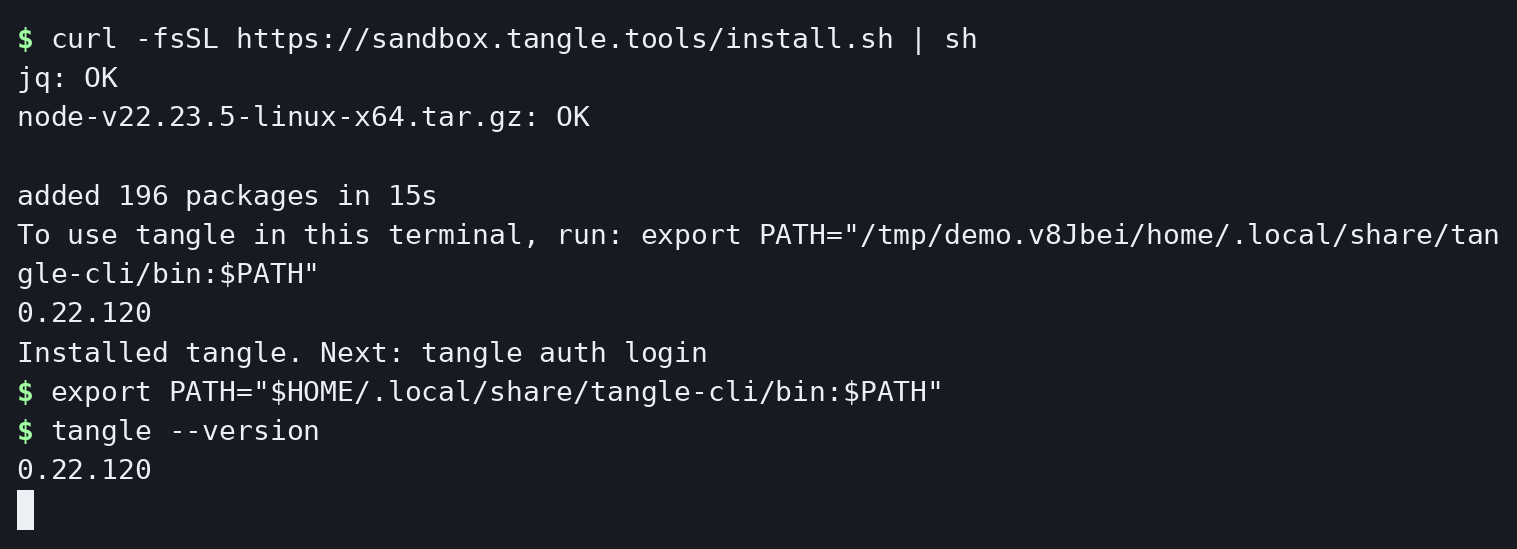
The installer brings its own Node.js runtime, so it needs no Node, npm or sudo:
curl -fsSL https://sandbox.tangle.tools/install.sh | sh
export PATH="$HOME/.local/share/tangle-cli/bin:$PATH"
tangle --version
With Node.js 22.19 or newer, npm install -g @tangle-network/sandbox-cli installs the same CLI.
To run it once without installing, use npx @tangle-network/sandbox-cli or npx tangle-sandbox.
Never run bare npx tangle. That npm name belongs to an unrelated package.
Log in
tangle auth login
tangle auth status
tangle auth login opens your browser and waits up to 2 minutes for you to sign in.
On a machine without a browser, tangle auth login --no-browser prints a URL and a device code; finish on any device within 15 minutes.
To use an API key instead, run tangle auth login --api-key sk-tan-..., or skip login and set TANGLE_API_KEY.
Login stores the credential in your OS keychain: the macOS keychain, or secret-tool on Linux.
On a Linux server or container with no keychain, login writes ~/.tangle/credentials.json (mode 0600) instead; TANGLE_API_KEY or TANGLE_API_KEY_FILE skip the login.
Each command picks its credential in this order:
--api-keyon the command lineTANGLE_API_KEY_FILE, a file holding ansk-tan-key, read on every useTANGLE_API_KEY- the OS keychain entry for the active profile
~/.tangle/credentials.json, only when plaintext credentials are allowed
The CLI loads a .env file from the current directory when it starts, so a TANGLE_API_KEY or TANGLE_BASE_URL in that file applies to every command you run there.
API keys and tokens covers key scopes, budgets and expiry.
Profiles and the config file
~/.tangle/config.json holds the active profile, each profile’s API host and active team, the active sandbox and the default request timeout. Credentials are never stored in it.
Profiles let one machine hold several accounts:
tangle auth login --profile work
tangle auth profiles list
tangle auth profiles use work
TANGLE_PROFILE=work tangle sandbox list
There is no global --profile flag. Set TANGLE_PROFILE to pick a profile for one command.
--profile means a different thing on different commands:
| Command | --profile means |
|---|---|
tangle auth, tangle team, tangle solve | the credential profile to use |
tangle agent prompt | an agent profile to run: a JSON path, an https URL or github:owner/repo/path@ref |
tangle sandbox create | an agent profile file or a saved profile name to install in the sandbox |
tangle sandbox get | an on/off switch that prints the sandbox’s agent profile provenance |
The active sandbox
tangle use <id-or-name> saves a default sandbox. --box <id> and TANGLE_SANDBOX override it.
The default applies only to the one-argument form of tangle agent prompt; every other command takes the sandbox id or name.
tangle use my-box
tangle agent prompt "Summarize the README"
tangle exec my-box -- ls
Global options
These work before or after any command.
| Option | What it does |
|---|---|
--json | Print one JSON document on stdout, including errors. Spinners stop and status lines move to stderr. |
--api-key <key> | Use this key for one command. |
--base-url <url> | Send this command to another host. |
-V, --version | Print the CLI version. |
--base-url names a different service for each command family: the Sandbox API for sandbox, exec, file and agent commands, Tangle Platform for workflows, hub and lines, and the Intelligence API for traces.
tangle keys takes --platform-url for the Platform host.
Common tasks
| Task | Command | Reference |
|---|---|---|
| Create a sandbox with SSH | tangle sandbox create --name my-box --ssh | Sandbox commands |
| Run a command | tangle exec my-box -- npm test | Sandbox commands |
| Open a shell | tangle ssh my-box | Sandbox commands |
| Copy a file in or out | tangle fs upload my-box ./data.csv /home/agent/data.csv | File, git, process and preview commands |
| Give a coding agent a task | tangle agent prompt my-box "Fix the failing test" --stream | Agent commands |
| Drive a coding agent’s own terminal UI | tangle agent prompt my-box "Start" --interactive --harness codex | Interactive mode |
| Save and restore the disk | tangle snapshot create my-box --tags green | Sandbox commands |
| Share a running app | tangle preview create my-box 3000 | File, git, process and preview commands |
| See usage and credits | tangle usage | Sandbox commands |
tangle usage prints active and total sandboxes, compute minutes, GPU seconds and spend, your plan and credit balance, and the reporting period.
Run a coding agent
tangle sandbox create --name fixer --git-url https://github.com/tangle-network/sandbox-demo
tangle agent prompt fixer "The test tagged null-guard fails. Fix the cause." --stream
tangle exec fixer -- npm test
tangle sandbox delete fixer --force
sandbox create waits up to 120 s for the sandbox to run. A stopped sandbox resumes on its own before exec, ssh, fs, git, process, run and agent prompt, which wait up to 120 s for it.
Open a shell
tangle ssh works on a sandbox created with --ssh, --ssh-key, --ssh-keys or --ssh-key-file.
--ssh alone uploads the first of ~/.ssh/id_ed25519.pub, id_ecdsa.pub or id_rsa.pub, and fails if none exists.
The connection runs over a WebSocket through the Sandbox API, so the sandbox opens no inbound port. The CLI does not check the sandbox’s SSH host key.
tangle sandbox create --name dev --ssh
tangle ssh dev
tangle ssh dev -- uname -a
Scripts and CI
Output
With --json, stdout carries only the JSON document. These commands print one JSON object per line instead: search --json, process logs --json and traces get --ndjson.
These commands always print text, even with --json: auth login, auth logout, sandbox delete, ssh-keys delete, ssh, ssh-proxy, agent connect and mcp serve.
An error under --json prints this envelope on stdout:
{
  "ok": false,
  "error": {
    "code": "UNAUTHORIZED",
    "what": "...",
    "cause": "...",
    "nextStep": "...",
    "fix": { "command": "tangle auth login" },
    "retryable": false,
    "requestId": "...",
    "status": 401
  }
}
Without --json, an error prints one line on stderr with the cause, the next step and the command that fixes it. Errors lists every code.
Exit codes
| Code | Meaning |
|---|---|
| 0 | Success |
| 1 | Failure. Also: fs exists found nothing (without --json), a fleet or batch member failed, a coding agent stopped to wait for an approval or an answer |
| 2 | agent connect got an unknown framework |
| 64 | Usage error: unknown command or option, missing graph parameter, unknown Hub provider |
| 65 | Invalid input: graph, agent profile (PROFILE_INVALID), workflow file or Hub tool |
| 69 | A dependency is unavailable: coding agent not installed, MCP server or network unreachable |
| 75 | Temporary: rate limited or at a limit; retry later |
| 77 | Log in again: expired or wrong credential, any HTTP 401, Hub not connected or approval needed |
| 78 | Configuration: subscription required, model not found, MCP blocked |
| 130 | Stopped with Ctrl-C (graph run, batch, interactive session) |
| 143 | An interactive session ended by SIGTERM |
exec, run, sandbox gpu run and process spawn --blocking exit with the remote command’s exit code. ssh exits with ssh’s exit code.
Confirmations
Destructive commands ask y/N on stderr. In CI there is no answer, so pass the skip flag or the command fails with Pass <flag> to skip the confirmation.
| Command | Skip flag |
|---|---|
sandbox delete | --force (--json does not skip it) |
secret delete, team transfer, team secret delete, team templates delete, hub connections revoke, workflows delete | --force |
team leave | --force or --json |
keys revoke, solve device revoke, lines connect | --yes |
Timeouts and remote arguments
Most --timeout flags are milliseconds: exec defaults to 60000, agent prompt to 300000 and sandbox resume to 120000. template publish and connect --verify take seconds.
On sandbox create, --timeout is the HTTP timeout. The sandbox’s own limits are --lifetime (default 3600 s) and --idle-timeout (default 900 s); when either runs out the sandbox stops and is not deleted.
exec, ssh and sandbox gpu run pass unknown options to the remote side. Put -- before the remote command so flags such as -t are not read as tangle options.
One argument after -- runs as a shell script; several arguments are quoted one by one.
tangle exec my-box -- "npm ci && npm test"
tangle exec my-box -- ls -la /home/agent
Environment variables
| Variable | What it does |
|---|---|
TANGLE_API_KEY | API key |
TANGLE_API_KEY_FILE | Path to a file holding an sk-tan- key; read on every use and wins over TANGLE_API_KEY |
TANGLE_BASE_URL, SANDBOX_BASE_URL | Sandbox API host |
TANGLE_PROFILE, SANDBOX_PROFILE | Credential profile |
TANGLE_SANDBOX | Default sandbox for the one-argument agent prompt |
TANGLE_PLATFORM_URL | Tangle Platform host for keys, hub and workflows |
TANGLE_HUB_URL | Hub host |
TANGLE_SKIP_HUB_KEY | Do not exchange a browser login for a short-lived Platform key |
TANGLE_HUB_CAPABILITY_TOKEN | An hct_ token, accepted only to run Hub tools |
TANGLE_LINE_TOKEN | An lrc_ token inside a line sandbox, for context and lines |
TANGLE_SSH_PROXY_AUTH_TOKEN | The credential ssh-proxy presents; tangle ssh sets it |
TANGLE_SANDBOX_WEB_URL | Web app origin used in the interactive session link |
TANGLE_INTELLIGENCE_API_KEY | Key tangle connect writes for telemetry |
TANGLE_INTELLIGENCE_BASE_URL | Intelligence API host for tangle traces |
TANGLE_ROUTER_URL | Model router tangle supervise calls |
OPENCODE_BASE_URL | OpenCode server for opencode-exporter |
BRAID_BIN | Braid executable for graph analyze |
TANGLE_GRAPH_ANALYSIS_SOURCE | Analysis profile source for graph analyze |
TANGLE_SOLVE_API_KEY, TANGLE_SOLVE_API_URL | Solve credential and host |
SHELL | Picks ~/.zshrc or ~/.bashrc for tangle connect claude-code |
Things that surprise scripts
sandbox createalways waits for the sandbox to run; there is no--no-wait.--secrettakes bare secret names. To keep a value out of the sandbox, use--proxy-secret; see Secrets.--accelerator-memoryis in decimal GB.keys createandkeys revokeneed an API-key login. A browser login gets a short-lived Platform key that cannot create or revoke keys.snapshot restorecreates a new sandbox and takes a sandbox id, not a name.snapshot revertrolls the same sandbox back.preview listcuts ids to 12 characters; use--jsonfor the full idpreview removeneeds.tangle hub execruns a Hub tool.tangle execruns a shell command in a sandbox.tangle connectsets up telemetry for a coding agent on your machine;tangle agent connectprints SDK snippets. Neither connects to a sandbox.
A skill file for coding agents
The CLI ships a SKILL.md that teaches a coding agent the commands. Print its path and point your agent at it:
tangle skill pathThings the CLI does elsewhere
- GPUs:
tangle sandbox gpuattaches a GPU to a sandbox for one command or a session. See GPU leases. - Workflows:
tangle workflowsdrives workflows on Tangle Platform. See Workflows and Workflow commands. - Secrets:
tangle secretstores values, and--secretor--proxy-secretdeliver them. See Secrets. - Network rules: the CLI shows a sandbox’s network with
tangle sandbox network; change egress rules from the SDK or the API. See Network egress rules.
Command reference
| Page | Commands |
|---|---|
| Sandbox commands | sandbox, use, exec, ssh, ssh-proxy, ssh-keys, snapshot, branch, usage |
| File, git, process and preview commands | fs, search, git, process, preview, run |
| Agent, fleet, batch and graph commands | agent, backend, batch, fleet, mcp, supervise, graph, skill |
| Account, key, secret, team and template commands | auth, keys, secret, team, template, environments |
| Workflow commands | workflows |
| Hub and line commands | hub, lines, context |
| Intelligence, trace and Solve commands | intelligence, traces, connect, opencode-exporter, solve |
tangle <command> --help prints the same flags.