Start from templates and custom images
Start sandboxes with your tools already installed: pick an environment, start from a public, team or personal template, publish your own, or bring a container image.
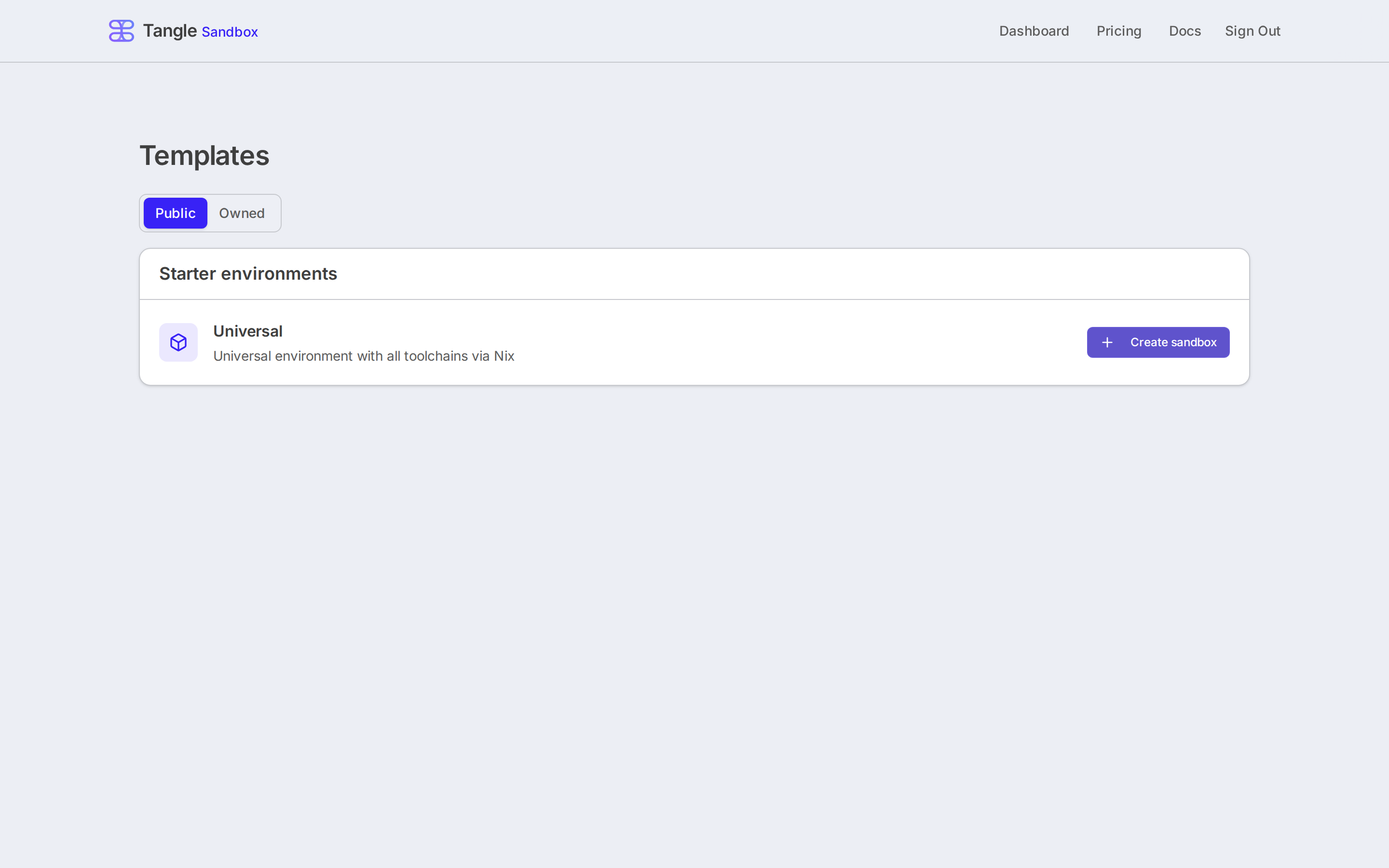
The default image already carries Python with numpy, pandas, matplotlib and scikit-learn, and Node.js with pnpm and TypeScript. Reach for a template or an image when your coding agent needs more than that.
Pick an environment
import { Sandbox } from "@tangle-network/sandbox";

const client = new Sandbox({
  apiKey: process.env.TANGLE_API_KEY!,
  baseUrl: "https://sandbox.tangle.tools",
});

for (const env of await client.environments.list()) {
  console.log(env.id, env.runtimes, env.description);
}The list holds universal, the default, and each of your saved templates as template:<id>. runtimes says whether an environment can run under docker, firecracker or both. Pass an id as environment at create, or omit it for the default.
Start from a public template
import assert from "node:assert/strict";
import { Sandbox } from "@tangle-network/sandbox";

const client = new Sandbox({
  apiKey: process.env.TANGLE_API_KEY!,
  baseUrl: "https://sandbox.tangle.tools",
});

const [template] = await client.publicTemplates.list({ query: "python" });
assert(template, "No matching public Python template");
const box = await client.create({ agent: false, publicTemplateId: template.id, maxLifetimeSeconds: 300 });
try {
  const result = await box.exec("python3 --version");
  assert.equal(result.exitCode, 0, result.stderr);
  assert(result.stdout.includes("Python") || result.stderr.includes("Python"));
  console.log(template.id, result.stdout || result.stderr);
} finally {
  await box.delete();
}
publicTemplates.list({ query, tag, featuredOnly, limit, offset }) searches the gallery, featured() returns the featured set, get(idOrSlug) returns one template, and versions(idOrSlug) lists its published versions. Explicit create fields win over what the template sets.
Pin a version
Templates are versioned. Pin the version when you need every sandbox to start the same:
import assert from "node:assert/strict";
import { Sandbox } from "@tangle-network/sandbox";

const client = new Sandbox({
  apiKey: process.env.TANGLE_API_KEY!,
  baseUrl: "https://sandbox.tangle.tools",
});

const [template] = await client.publicTemplates.list({ query: "python" });
assert(template, "No matching public Python template");
const [version] = await client.publicTemplates.versions(template.id);
assert(version, "The template has no published version");
const box = await client.create({ agent: false, publicTemplateId: template.id, publicTemplateVersionId: version.id, maxLifetimeSeconds: 300 });
try {
  const result = await box.exec("python3 -c 'print(6 * 7)'");
  assert.equal(result.exitCode, 0, result.stderr);
  assert.equal(result.stdout.trim(), "42");
  console.log(template.id, version.id);
} finally {
  await box.delete();
}
tangle template list
tangle template get <slug>
tangle template versions <slug>
tangle sandbox create --public-template <slug> --public-template-version <version-id>Install packages and save a personal template
On the default image, python and pip run from a venv at ~/.local/venv that also sees the image’s preinstalled packages, so pip install and uv pip install need no root. npm install -g installs under ~/.local. Snapshots and templates keep both. A venv you create for a project stays isolated from the default one. Wheels that load the C++ runtime, such as duckdb, install but do not import yet.
exec returns an exitCode for a failed command. Check it before taking a snapshot: a successful snapshot can preserve an environment where the install failed.
const box = await client.create();
let copy;
let snapshot;
let template;
try {
  const installed = await box.exec("pip install tabulate");
  if (installed.exitCode !== 0) throw new Error(installed.stderr);
  snapshot = await box.snapshot();
  template = await client.createTemplate({
    name: "tabulate-personal",
    snapshotId: snapshot.snapshotId,
    sourceSandboxId: box.id,
  });
  // Use the same runtime as the source, or another supported runtime.
  copy = await client.create({ templateId: template.id });
  const imported = await copy.exec('python -c "import tabulate"');
  if (imported.exitCode !== 0) throw new Error(imported.stderr);
} finally {
  const errors = [];
  for (const cleanup of [
    async () => { if (copy) await copy.delete(); },
    async () => {
      if (!template) return;
      const response = await client.fetch(`/v1/templates/${template.id}`, { method: "DELETE" });
      if (!response.ok) throw new Error(`Template delete: HTTP ${response.status}`);
    },
    async () => { if (snapshot) await box.deleteSnapshot(snapshot.snapshotId); },
    async () => { await box.delete(); },
  ]) {
    try { await cleanup(); } catch (error) { errors.push(error); }
  }
  if (errors.length) throw new AggregateError(errors, "Cleanup incomplete");
}
A personal template is private to your account. To keep it, retain the template and its source snapshot instead of deleting them in the cleanup above. Create and delete remain separate operations.
Publish your own template
Set up a sandbox the way you want it, snapshot it, and publish the snapshot. Publication runs as a job: the SDK waits until the template is published and visible.
const box = await client.create({ name: "duckdb-agent-base" });
const installed = await box.exec("pip install duckdb polars");
if (installed.exitCode !== 0) throw new Error(installed.stderr);
const snap = await box.snapshot({ tags: ["duckdb"] });

const template = await client.publicTemplates.publish(
  {
    name: "DuckDB coding agent",
    snapshotId: snap.snapshotId,
    sourceSandboxId: box.id,
    description: "DuckDB and Polars for data coding agents",
    tags: ["duckdb", "python"],
  },
  { onProgress: (job) => console.log(job.id, job.status) },
);
console.log(template.id);name, snapshotId and sourceSandboxId are required. publishVersion(idOrSlug, { snapshotId, sourceSandboxId, releaseNotes }) adds a version to a template you own. forkedFromTemplateId records which template yours was built from; it copies nothing.
A publication that is interrupted, or a wait you stop with signal, throws PublicTemplatePublishError with the accepted job. The job may still be running. Continue it with the same input:
import { PublicTemplatePublishError } from "@tangle-network/sandbox";

try {
  await client.publicTemplates.publish(input);
} catch (error) {
  if (error instanceof PublicTemplatePublishError && error.job) {
    await client.publicTemplates.publish(input, { resumeJobId: error.job.id });
  } else {
    throw error;
  }
}
tangle template publish "DuckDB coding agent" <snapshot-id> <sandbox-id> --tags duckdb --json
tangle template publish "DuckDB coding agent" <snapshot-id> <sandbox-id> --resume-job <job-id> --json
tangle template publish-version <id-or-slug> <snapshot-id> <sandbox-id> --release-notes "Adds polars"The CLI’s --timeout on template publish is in seconds. Progress goes to stderr, and a JSON error keeps the accepted job id. A blocked or failed scan does not publish the template.
Over REST, the publish POST answers 202 with { job, artifact }. Read GET /v1/public-templates/publish-jobs/{jobId} until the job finishes; an accepted request is not a published template.
Share a template with your team
A team template is visible to everyone in the team.
const tmpl = await client.teams.createTemplate(teamId, {
  name: "checkout-service",
  snapshotId: snap.snapshotId,
  description: "Repo cloned, dependencies installed",
});
const box = await client.create({ templateId: tmpl.id, teamId });

console.log(await client.teams.listTemplates(teamId));
await client.teams.deleteTemplate(teamId, tmpl.id);
tangle team templates create checkout-service <snapshot-id> --description "Repo cloned"
tangle team templates list
tangle team templates delete <template-id>TypeScript creates a personal template with client.createTemplate({ name, snapshotId, sourceSandboxId }). The CLI has no personal-template command. Over REST, create with POST /v1/templates (name, snapshotId, sourceSandboxId, optional description, environment and config), list with GET /v1/templates, and delete with DELETE /v1/templates/{id}. They appear in environments.list() as template:<id>.
Bring a container image
environment also takes a container image reference:
import assert from "node:assert/strict";
import { Sandbox } from "@tangle-network/sandbox";

const client = new Sandbox({
  apiKey: process.env.TANGLE_API_KEY!,
  baseUrl: "https://sandbox.tangle.tools",
});

const box = await client.create({ agent: false, environment: "python:3.12-slim", runtime: "docker", maxLifetimeSeconds: 300 });
try {
  const result = await box.exec("python3 --version");
  assert.equal(result.exitCode, 0, result.stderr);
  assert((result.stdout + result.stderr).includes("Python"));
  console.log(result.stdout || result.stderr);
} finally {
  await box.delete();
}
Under runtime: "firecracker", the image must be pinned as repository@sha256:<digest> and carried by the Firecracker hosts. environments.list() shows which runtimes each catalog image supports.
Publish an image from a running sandbox
box.images.publish builds the sandbox’s workspace with a Dockerfile and pushes it to your registry. The registry credentials go to the builder, never into the sandbox.
await box.write("Dockerfile", "FROM python:3.12-slim\nRUN pip install duckdb\n");
const image = await box.images.publish({
  repository: "ghcr.io/acme/agent-base",
  auth: { username: "acme-bot", password: process.env.GHCR_TOKEN! },
  platform: "linux/amd64",
});
console.log(image.image, image.digest);

const next = await client.create({ environment: image.image, runtime: "docker" });
contextPath and dockerfilePath default to . and Dockerfile. Where no builder is available, the call fails with WORKSPACE_IMAGE_BUILDER_UNAVAILABLE or IN_BOX_DOCKER_UNAVAILABLE. Image builds through POST /v1/images are not offered and answer 403 IMAGE_BUILDS_DISABLED.
Python and REST
Python lists environments and starts from templates with template_id, public_template_id and public_template_version_id on create. It has no public template, team template or image publishing methods. Call those routes with client.fetch, which returns the raw response and does not raise on an error status:
templates = client.fetch("GET", "/v1/public-templates", params={"q": "python"}).json()["templates"]
client.fetch("POST", "/v1/templates", json={"name": "base", "snapshotId": snapshot_id, "sourceSandboxId": box.id})